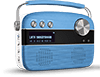
What information is shown on the display panel?
Here's the list of details shown on the display panel:
a. Mode indicator
- Saregama mode: the panel shows the name of music station and name of the song that is currently playing
- Bluetooth mode: Bluetooth indicator on the panel will be displayed. In addition, you will also be able to see whether or not your Bluetooth device is currently connected to Carvaan (the premium variant)
- USB mode: the panel shows the folder name and song name that is currently playing
- Aux IN mode: the panel shows ‘AUX In’
- FM/AM mode: FM/AM indicator on the panel will be displayed. You will also be able to see the frequency of the FM/AM channel that is currently being played
b. Battery
o Whenever Carvaan (the premium variant) is in use, the battery indicator will always be displayed on the panel
c. Favourites
o Any song marked as favourite, will be indicated with a ‘Heart icon’ on the display screen
d. App connected
o If the user is playing songs on Carvaan through the Carvaan (the premium variant) app, the display screen will show as ‘Playing from app’ and the song name
What happens if I press the reset button?
When you press the reset button, Carvaan (the premium variant) will be set to default factory settings. In this case, you will need to re-pair your Bluetooth device and choose the category/ station, you would like to listen to. The songs you have marked as favourites will be removed from the ‘Favourites’ station.
What if I lose my warranty card?
A warranty card is typically used to indicate the date of purchase. In case you lose the warranty card, you can provide us with original invoice for Carvaan (the premium variant).
There is a light indicator next to the power button with a battery icon. What is it?
The light indicator turns on when Carvaan (the premium variant) is being charged. This light is automatically turned off when the battery is fully charged.
How do I pair my mobile phone via Bluetooth to Saregama Carvaan (the premium variant)?
To pair your mobile phone to Carvaan (the premium variant), follow the steps below:
o Press the Bluetooth mode button on the Carvaan (the premium variant) unit
o On your mobile phone, turn on Bluetooth. Select 'Saregama Carvaan' from the list of available bluetooth devices
o Your mobile phone will now get paired automatically with Carvaan (the premium variant)
Once your mobile phone is paired, the display panel on Carvaan (the premium variant) will show 'BT Device Paired'.
Please note:
At any given time, you can pair only one device with Carvaan (the premium variant)
I have connected my mobile phone and Saregama Carvaan (the premium variant) unit. However, I am unable to play songs through the Saregama Carvaan app on my unit. Why?
If you have connected your mobile phone and the Carvaan (the premium variant) unit, ensure that you are in Saregama mode and not Bluetooth mode to play songs via the app on your unit.
I am in Bluetooth mode. Can I stream songs from Saregama Carvaan (the premium variant) to my mobile phone?
You can only stream music from your phone, laptop or any other Bluetooth enabled device to Carvaan (the premium variant).
How do I listen to songs stored on my pen drive on Saregama Carvaan (the premium variant)?
To play songs from your pen drive on Carvaan (the premium variant), follow the steps below:
o Plug your pen drive into the USB port on the back panel of Carvaan (the premium variant)
o Press the USB mode button
o The first available song will start playing automatically
o To move across folders on your pen drive, turn the station selector left./ right
Please note:
o Carvaan (the premium variant) supports pen drive upto USB version 2.0
o You cannot play songs from external hard drives, mobile phones, laptops etc. on Carvaan (the premium variant). You can only play songs from pen drives with a storage capacity upto 64 GB
I am tuned into FM/AM mode on Saregama Carvaan (the premium variant). However, the reception of the signal is not too great. What should I do?
External FM reception depends on the strength of the signal in your area. If the location or area where you have kept the Carvaan (the premium variant) unit has a weak FM signal, there is a possibility that you may face interruption in FM output.
To improve reception, you can insert that external antenna that comes along with Carvaan (the premium variant) into the Aux In port on back panel of Carvaan (the premium variant).
We recommend that you do not put the unit on charge while listening to FM/AM as it will interrupt the signal.
How do I set FM/AM channels on Saregama Carvaan (the premium variant)?
To listen to an FM channel, follow the steps below:
o Press the FM/AM mode button
o The first available FM channel will automatically start playing
o To switch to another FM channel, turn the station selector left/right or press the < > buttons
To listen to an AM channel, follow the steps below:
o If in FM mode, press FM/AM button again to start AM. If in any other mode press FM/AM button twice
o The first available AM channel will automatically start playing
o To switch to another AM channel, turn the station selector left/right or press the < > buttons
Does Saregama Carvaan (the premium variant) come with a remote?
Yes. Carvaan (the premium variant) comes with a remote.
Please describe the functionality of the Saregama Carvaan (the premium variant) remote.
You can use the remote in the following instances:
o Mode selection: to select your preferred mode
o Mark as favourite: to mark any song under Saregama mode as favourite or unmark the song as favourite
o Category selection: to select your preferred category when in Saregama mode
o Manage song playout: to move to the next/ previous song or play/ pause the song
o Volume control: to increase/ decrease volume
Can I power on Saregama Carvaan (the premium variant) from the remote?
No. the remote does not allow you to power on/ off Carvaan (the premium variant).
Which batteries can be used in Saregama Carvaan (the premium variant) remote?
A CR2025 battery is used in Carvaan (the premium variant) remote.
Does the remote come in different colours?
No. The remote comes only in one colour.
Is there any warranty on the remote?
No. there is no warranty on the remote.
I have misplaced/ lost the remote. What should I do?
If you have misplaced/ lost the remote, email on feedback@saregama.com or call on 18001727799
Is there any warranty on the external antenna?
No. there is no warranty on the external antenna.
I have bought an additional remote with no favourites button on it. However, it is not working with my Carvaan (the premium variant). Why so?
Your Carvaan (the premium variant) maybe the one which supports the app and has an Aux In port. The remote you bought is an older version and hence, not compatible with your Carvaan (the premium variant) unit.
How do I get the Saregama Carvaan app?
Use one of the options below for help with downloading the app:
• Go to Google Play store/ Apple App store and search for the ‘Saregama Carvaan’ app to download the app.
• Click for a direct link to the app on your app store
o Google Play store
o Apple App store
How do I connect the Saregama Carvaan app and the Saregama Carvaan (the premium variant) unit?
You can connect the app and the Carvaan (the premium variant) unit by following the steps below:
- Power on your Carvaan (the premium variant) unit
- Press the Saregama mode button
- Turn on the Bluetooth of your mobile phone and ‘allow new connections’ under the Bluetooth settings on your mobile phone
- On your mobile device, go to the Saregama Carvaan app
- Go to the ‘Bluetooth Settings’ tab on your app and press ‘Carvaan app’
- The Saregama Carvaan app and the Carvaan (the premium variant) unit are connected
I tried to connect my Carvaan (the premium variant) unit and the Saregama Carvaan app on my phone. However, I am unable to connect. Why?
Your Carvaan may not be compatible with the app and hence, you are unable to connect the Carvaan (the premium variant) unit and the Saregama Carvaan app.
I have one Saregama Carvaan Premium unit and one Saregama Carvaan Gold units. Can I use the same app to control both the units?
Yes. The same app will work for both the units. To switch between units, follow the steps below:
- Open the app
- Go to Bluetooth setting under the left hand side menu
- Choose the Carvaan Premium / Gold unit you want to playout songs on and press 'Carvaan App'
- Song playout begins
Note: both your Carvaan units need to be app compatible
How do I know if my Saregama Carvaan (the premium variant) unit is compatible with the Saregama Carvaan app?
All the Carvaan (the premium variant) units which are compatible with the Saregama Carvaan app, have mentioned so on the packaging of the unit and the manual that comes along with the unit.
Alternatively, if your Carvaan unit comes with an external antenna and an Aux In port at the back panel of Carvaan unit, the unit is compatible with the Saregama Carvaan app.
I have 2 Saregama Carvaan (the premium variant) units. Can I use the same app to control both the units?
Yes. The same app will work for both the units. To switch between units, follow the steps below:
- a. Open the app
- b. Go to Bluetooth setting under the left hand side menu
- c. Choose the Carvaan (the premium variant) unit you want to playout songs on and press ‘Carvaan App’
- d. Song playout begins
Note: both your Carvaan (the premium variant) units need to be app compatible
I was playing music through the Saregama Carvaan app on the Saregama Carvaan (the premium variant) unit. I happened to press the Specials category button on the unit and the playout from the app stopped. How do I play again from the app?
If you have pressed any button on the unit, other than the next/ previous button, the song playout will start from the Carvaan (the premium variant) unit. To start playout from the app again, choose a song from the app and press play.
What are the size specifications of Saregama Carvaan (the premium variant)?
Here are the dimensions approx: 28.9 cm (L), 22.9 cm (H), 8.4 Cm (W)
What is the weight of Saregama Carvaan (the premium variant)?
The standalone weight of the Saregama Carvaan (the premium variant) unit is approximately 1.24 kgs.
What is the power of the speakers?
The power of Carvaan (the premium variant) speakers is 10 Watts.
Does Saregama Carvaan (the premium variant) have a slot for a micro USB card?
There is no Micro SD slot on Carvaan (the premium variant).
What is the battery and adaptor specification?
Carvaan (the premium variant) has a rechargeable Li-Ion battery with a capacity of 2200 mAh. Adaptor rating is 5V, 1A.
How do I charge Saregama Carvaan (the premium variant)?
Carvaan (the premium variant) comes along with a USB Type C charging cable. Plug the adaptor into a power socket. Connect one end of the USB cable to the adaptor and the other end to the micro USB port on the back panel of Carvaan (the premium variant). Turn on the switch and Carvaan (the premium variant) will start charging.
It takes 2-3 hours to charge Carvaan (the premium variant) completely. Whilst the battery is being charged, you will be able to see a red colour light next to the power button. This light will automatically turn off when the battery has been fully charged.
A fully charged battery, should last for 5-6 hours of playout time.
You can also look at the battery icon on the display panel for an indication of how much charge is available on Carvaan (the premium variant).
If you wish, you can also detach the adaptor and plug the cable into an alternate USB port on your laptop, music system etc. to charge Carvaan (the premium variant).
Please note, you cannot use Carvaan (the premium variant) to charge any other device like a mobile phone/ tablet.
I have lost the charger that came along with Saregama Carvaan (the premium variant). Is there any other way I can charge the unit?
You can use a power bank or any mobile phone/ tablet charger that has a micro USB cable to charge Carvaan (the premium variant). Any charger compatible with an Android device can be used to charge the unit.
Can I use Saregama Carvaan (the premium variant) whilst it is being charged?
You can use Carvaan (the premium variant) whilst it is being charged. However, it may impact the FM reception. Plug this antenna into the Aux In port for an even better quality of reception of the FM channels.
How long does the battery last on single complete charge?
Once charged completely, enjoy 5 hours of playtime.
What does the warranty cover?
The warranty covers the following:
a. 6-month warranty on all parts of the Carvaan (the premium variant). This includes repair, replacement of damaged parts and servicing
What if lose my warranty card?
A warranty card is typically used to indicate the date of purchase. In case you lose the warranty card, you can provide us with original invoice for Carvaan (the premium variant).
I purchased Saregama Carvaan (the premium variant) online. No warranty card has been issued to me. Can I still take advantage of the warranty cover?
To take advantage of the warranty cover, you can provide us with the original invoice of Carvaan (the premium variant).
Is the warranty applicable only in India?
Yes. The warranty on Carvaan (the premium variant) is applicable only in India.
My Saregama Carvaan (the premium variant) is not functioning properly. Where do I get it repaired?
Our service centers are available across select cities in India. If you are in a city where we have a service center, please call us on 1800 102 7799 and we will arrange for our technician to visit your home and resolve the issue. You can also email us on feedback@saregama.com
If our service center is not available in your city, you will need to take your Carvaan (the premium variant) to the nearest city which has our service center. If your Carvaan (the premium variant) is under warranty, please make sure you provide our technician with a copy of the warranty card/ original invoice.
How many songs are pre-loaded on Saregama Carvaan (the premium variant)?
Carvaan (the premium variant) is pre-loaded with 5000 MP3 songs.
Which artistes are available in Saregama mode?
The artistes category in Saregama mode has 65+ stations dedicated to legends like Lata Mangeshkar, Mohammed Rafi, Kishore Kumar, Jagjit Singh, Amitabh Bachchan, Hema Malini, Dharmendra, Rekha etc. For a full list of all stations, visit www.saregama.com/Carvaan/carvaanhindi
What is Specials category and what are the stations included?
Carvaan (the premium variant) comprises 15+ specially curated theme and mood based stations like Romance, Sad, Happy, Ghazal, Songs with dialogues, Kapoors, Mangeshkars and many more.
How many Geetmala stations are available in Saregama mode?
There are a total of 50 Geetmala channels spanning across five decades of the Geetmala Ki Chaon Mein collection by Ameen Sayani.
For a full list of all stations available in this category, visit www.saregama.com/Carvaan (the premium variant)/2018/buynow
I am trying to Gift Saregama Carvaan (the premium variant) from saregama.com to my friend based in UK. I am unable to do so. Why?
Currently, Carvaan (the premium variant) can be gifted to residents of India only saregama.com.
What is the maximum number of Carvaan (the premium variant) units I can gift?
There is no upper limit on the number of Carvaan (the premium variant) units that you can gift. However, you can gift a maximum of 10 units in a single transaction.
What are the payment options available if I want to gift a Saregama Carvaan (the premium variant)?
If you are based in India, you can pay via PayTm wallet, credit card, debit card or net banking.
I have gifted my friend Saregama Carvaan (the premium variant). How do I track the status of my order?
To check the status of your order, go to Carvaan (the premium variant) with app > Buy Now > Track Your Order
I want to cancel my order for Saregama Carvaan (the premium variant). I am unable to do so. Why?
Cancellation is allowed only until your order hasn't been dispatched. Your order must have been dispatched and hence, you are unable to cancel it.
To check your order status, go to Carvaan (the premium variant) with app > Buy Now > Track Your Order
Can I select the songs on my own to play when in Saregama mode?
The songs play in a random order. The songs cannot be selected manually. Though there is a Previous (<) and Next button (>) in case you want to jump to another song. You can also mark the songs you like as Favourites. You can access all the songs marked as Favourites under Specials > Favourites and then go to your favourite song. Alternatively, you can download the Saregama Carvaan (the premium variant) app, connect the app and the Carvaan (the premium variant) unit using Bluetooth and choose a song to play.
Can I create my own playlist on Saregama Carvaan (the premium variant)?
No, you cannot create your own playlist though you can play your own songs through USB or Bluetooth.
You can also mark the songs you like as Favourites. You can access all the songs marked as Favourites under Specials > Favourites. In case you want to create multiple playlists, you can also do it from the ‘Saregama Carvaan ’ app by following the steps below:
a. Download the ‘Saregama Carvaan ’ app from Google Play Store or the App store
b. Sign in and go to ‘Create Playlists’ under My Playlist(s)
Where can I purchase the Saregama Carvaan (the premium variant) from?
Carvaan (the premium variant) can be purchased from Saregama.com, amazon, modern retail stores like Croma, Reliance Digital and retailers.
Can I extend the warranty?
No, there is no such facility right now.
What is Cancellation Policy?
An order placed on saregama.com can be cancelled only before the dispatch of the product. If the product has been dispatched from the warehouse, the order cannot be cancelled. The status of your order can be tracked from the option on saregama.com. If the order has been dispatched, the option will be automatically disabled. No cancellation will be accepted after the product has been dispatched.
How do I cancel the order?
"Cancel" order option would be reflected only if your order has not been dispatched yet. In case the order has been dispatched, there will be no option to cancel the order. You can check your order status from track order option.
How long does the cancellation process take?
An order placed on saregama.com can be cancelled only before the dispatch of the product. The cancellation request will be registered immediately.
How does the amount get refunded in case of cancellation?
The amount will be refunded in case of payment through Credit Card, Debit, Net banking and Paytm. The refund will be credited to the same account (credit card/ debit card/ net banking and paytm) from which the payment of your Carvaan (the premium variant) was made. It will take approximately 7-21 working days to process the refund.
What is Warranty Policy?
Warranty will be valid only when the Warranty Card or original Purchase Invoice are presented together for service
- Saregama reserves the right to decline warranty service, if the above documents are not presented or if the information contained is incomplete or the Warranty Card is found to be tampered with.
- This Warranty shall not cover any damages resulting from un-authorized adaptations or adjustments to the product.
- This Warranty will be void if the serial no. on the product has been altered, removed or defaced.
- This Warranty does not cover damage caused to the product due to improper usage by the customer or incorrect connection of the product to any external equipment which not approved by Saregama. Any deficiency in product performance due to signal reception through third party equipment or third party software will not be under the purview of this warranty.
- This Warranty does not apply to normal wear and tear to the memory card, speaker, battery and display panel if the product is used in commercial, business, industrial, educational or rental applications.
- This Warranty shall not apply to damages caused to the product by accident, lightening, fire, water or liquid spillages, sudden drops, excessive shock or any external cause beyond Saregama's control and/or any damage caused due to tampering of the product by an unauthorized agent.
- This Warranty does not cover liability for loss of data. If the content of the memory is altered, deleted, or in any way modified, Saregama shall not be responsible and if serviced under warranty, the product will be returned configured as originally purchased.
- Saregama reserves the right to replace the defective part with an equivalent and/or reconditioned unit.
What is the Return Policy?
The product is non-returnable.
Every product goes through a rigorous testing so the chances of product being defective are negligible. In case the product has any manufacturing defect or software issue, you can reach out to us on our toll free number 18001027799. A service agent will come to your door step and test the product thoroughly against all issues or defects. If any issue found, the defective part will be replaced by the service agent.
I have an issue with the unit. Where can I raise a complaint?
If you are facing an issue with the unit, please write to us on feedback@saregama.com. or call on 18001027799 (9:00 am to 9:00 pm) to report the issue.
Please note: Product unboxing video is mandatory to raise a complaint about missing / damaged (Accessory / Product). The video can be shared on feedback@saregama.com.
Whom do I contact for After Sales Service within warranty period?
You can call our dedicated toll free helpline no. 18001027799 between 9 am to 9 pm from Mon-Sun. Our customer care representative will raise a service request and arrange a technician visit to your place.
You can also send an email to feedback@saregama.com with the device details and issue you are facing. We will arrange a technician visit to your place.
The technician will assess the product for any defects and issues. If the product is within warranty, the faulty parts would be replaced/ repaired free of cost.
In case of technician / spares unavailability in your location, we will arrange to pick up the device from your place and send it to service factory for repair and the repaired device will be delivered back to you.
What is the Refund Policy?
Any refund will be made only in case the order is cancelled before the dispatch. If the product has been dispatched to the customer, no refund shall be done. The refund will not be applicable in the below scenarios;
- Change of mind
- Wants a different color
- Product does not meet the expectation
- No longer need the product
- Change of mind
- Loss of any spare part at customer's end
- Any other wear and tear caused to the product at customer's end
I want to gift wrap Saregama Carvaan (the premium variant) with one of the gift wrapping paper options available. How much does it cost?
You can get your ordered Carvaan Premium unit gift wrapped "Free of Cost"
I have ordered for 2 units of Saregama Carvaan (the premium variant). Can I choose two different wrapping papers?
No. You can choose only one gift wrapping paper for both the units of Carvaan (the premium variant) that you have ordered.
I have opted to gift wrap Saregama Carvaan (the premium variant) that I have bought. However, I want to now change the gift wrapping paper. What should I do?
Sorry! You cannot change the gift wrapping paper once you have placed the order.
Can I write a personalized message along with Saregama Carvaan (the premium variant) that I have ordered?
Currently, we do not have an option to write a personalized message.
I want order Saregama Carvaan (the premium variant) and have it gift wrapped with the 'Happy Birthday Dad' gift wrapping paper. Do you have another another colour option for the gift wrapping paper?
Sorry! We currently have only the options displayed on the website.
How do I activate warranty on Saregama Carvaan (the premium variant)?
To activate warranty, SMS the serial no. printed on your Carvaan (the premium variant). SMS 'SC Serial No.' to 5676784
What is the warranty period for Saregama Carvaan (the premium variant)?
Carvaan (the premium variant) comes with 6-month warranty. The start of a warranty is determined basis the date of invoice. Free warranty is valid for upto 6-month from the date of purchase against any manufacturing defect. Warranty does not cover physical damage.
I bought a Saregama Carvaan (the premium variant) but there is no serial number on the unit or the outer box. I am not able to activate warranty without the serial number. What should I do?
Serial number is mandatory for activating and availing the warranty of Carvaan (the premium variant). Please note that warranty will stand invalid if the unit is found without a genuine serial number. The product will be treated as a non-genuine product and will not be considered by Saregama either for in warranty repair or out of warranty. In such a case, Saregama advises you to please return the product to the seller and take a product that has an intact serial number. A serial number is put up on the outer box as well as the bottom of the unit.
I have lost my invoice. How do I avail of the warranty?
Invoice is mandatory to avail the warranty. In case the invoice is not available, the complaint/service request will be considered as out of warranty. A technician visit / repair service will be arranged and charges will applicable for out of warranty service. The service will be chargeable as per the applicable service charge and price of spares at that point of time.
In case, the order was placed online on any website where Carvaan is listed (any market place), then you can present the bill received on email.
You can also call our toll free helpline no. 18001027799 and our customer care representatives will advise you on the warranty status if you can provide them serial number of your Carvaan.
My friend gifted Saregama Carvaan (the premium variant) to me. I don’t have an invoice. How do I avail the warranty?
You can call our toll free helpline no. 18001027799 and our customer care representatives will advise you on the warranty status if you can provide them serial number of your Carvaan.
If the serial number is also unavailable, the complaint/ service request will be considered as out of warranty. A technician visit / repair service will be arranged and charges will applicable for out of warranty service. The service will be chargeable as per the applicable service charge and price of spares at that point of time.
Do I need to carry Saregama Carvaan (the premium variant) to the service center?
Doorstep warranty is available in select cities. The allotted technician will visit your place to fix the issue as per the appointment scheduling. If there is no doorstep facility available in your location, you will have to carry the product to the nearest service center.